
Scripts
11 packages available
11 packages

Advent Calendar
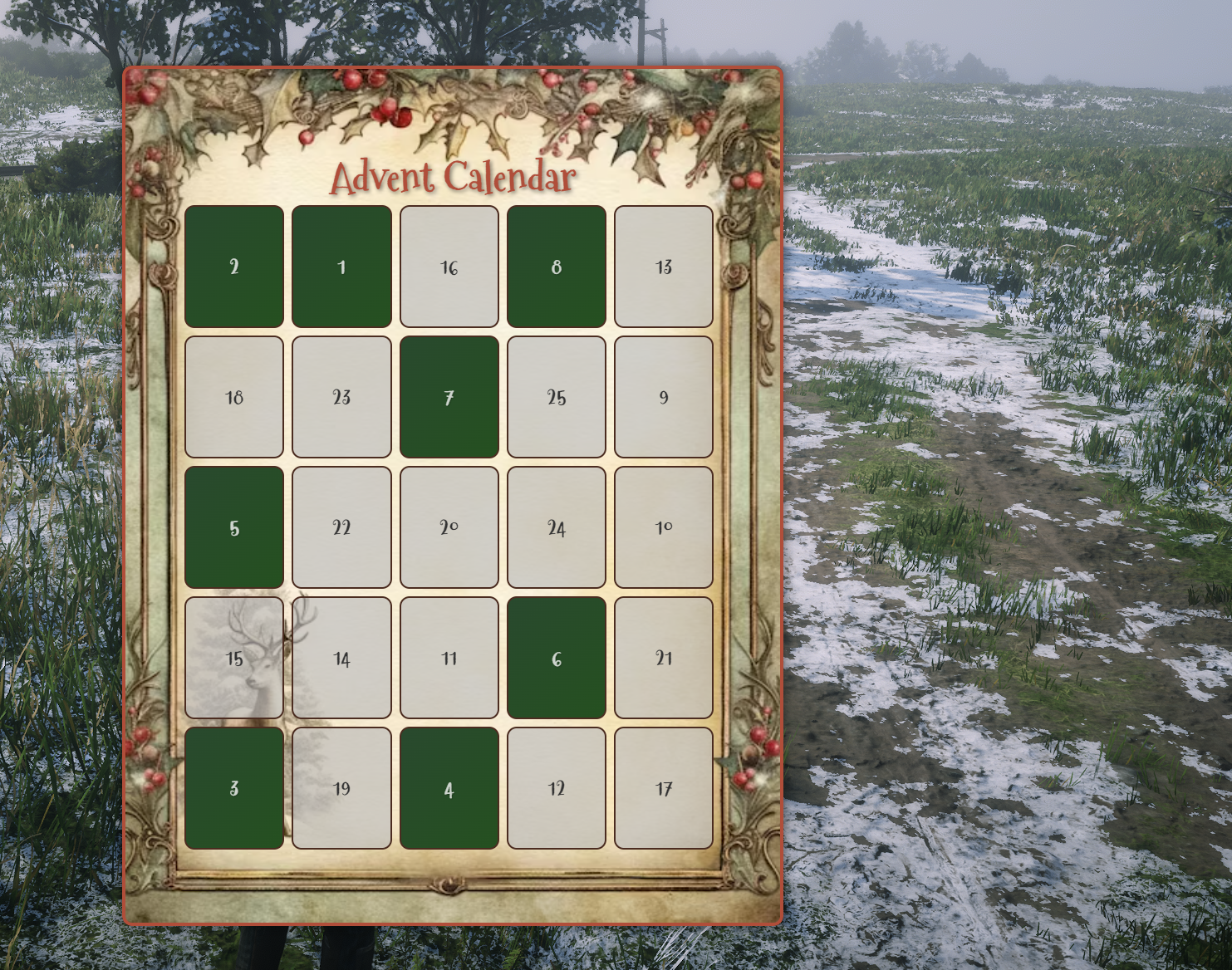
This RedM Advent Calendar Script is designed to emulate a traditional Advent calendar experience directly within the game. Players can open a specially styled user interface (NUI) each day in December and claim daily rewards ranging from items, money, to gold.
This script integrates seamlessly with VORP Core and VORP Inventory, ensuring that all rewards are properly granted to the player's character and recorded in a MySQL database.
Key Features:
Advent-Style Calendar:
A fully interactive NUI-based calendar with 25 slots (or more if you configure them) scattered randomly across a "page." Players must locate the current day’s slot and open it to receive their reward.
Date-Based Accessibility:
The calendar automatically checks the current in-game date (or real date) and only allows players to open the slots for that day or any past day they have not yet opened. Slots for future days remain locked.
Reward Variety:
Configure daily rewards in config.lua. Define items, money, or gold for each specific day. This flexibility allows you to tailor the rewards to your server’s economy and roleplay environment.
MySQL Integration:
Player progress (redeemed slots) is stored in a MySQL table (zm_advcal). This ensures that even if a player logs out and returns later, their opened slots remain tracked and cannot be exploited.
Notifications & Localization:
Notifications to the player are handled through Core.NotifyTip or your chosen notification system. All textual strings and messages can be fully localized via the config.lua, making it easy to switch languages or change messaging without editing the script’s logic.

Reputation System (QADR_UI)
Requires: qadr_ui
Features
- Be able to add and remove rep points using commands
- Add or Remove rep points thru the provided Triggers and Exports
- View your current reputation
- Easy integrate with your other Open Source scripts
Preview

Chest system and Weapon Racks
Persistent Chests and Containers
zm_chests is a powerful RedM script designed to allow players to configure and place persistent chests, containers, and weapon racks in the game world. Through a user-friendly config.lua file, administrators can define a range of chest types, customizable storage capacities, and lock-picking settings, providing a versatile solution for in-game storage and visual item placement. All containers are saved to the database, ensuring continuity across server sessions.
Key Features
Configurable Chest Types: Easily define multiple chest types in
config.lua, each with unique properties, such as item type, prop model, lock-pickability, and capacity. Available containers include:- Small, medium, and large chests
- Hunting-specific and pelt-only chests and more
- Small and large weapon racks with slot-based inventory
Custom Weapon Rack: In collaboration with SPOONI MAPPING, a custom six-slot weapon rack was created specifically for this script. This unique weapon rack prop is included with the script, providing a tailored storage solution for RedM players.
Prop Placement System: The script includes a prop placement mode that enables players to visually position and rotate chests in the world before placing them. This system uses client-side rendering to provide a clear preview.
Persistent Storage: Each placed container is saved in the database, ensuring that all items and weapons stored remain intact across server sessions.
Lock-Picking Mechanics: Configurable lock-picking allows chests to be secured. For lock-pickable chests, a mini-game interface determines the success of the attempt, with a customizable number of retries.
Weapon Racks with Slot Management: Weapon racks are equipped with specific slots for weapons, supporting either six or twelve slots based on the rack type. Players can place or retrieve weapons, and each weapon’s slot position is visually rendered on the rack.
Owner Permissions and Key Sharing: Chest owners can grant or revoke access to other players. This allows secure co-owned chests where access can be dynamically managed, perfect for collaborative gameplay scenarios.
Inventory Interaction: Interaction prompts allow players to open chest inventories directly and manage stored items. Chests can be renamed or retrieved, provided they are empty.
Configuration Highlights (config.lua)
The config.lua file allows comprehensive customization of the script’s functionality:
- Chest Definitions: Define chests by name, item type, model (
prop), capacity (slot), lock-pickability, and allowed items (if item restrictions apply). - Interaction Distance: Set the player interaction radius for accessing chests.
- Lock-Picking Attempts: Customize the number of attempts allowed to pick a locked chest.
- Menu and Notification Texts: Easily adjust UI texts for better in-game integration.
Usage
- Placing a Chest: Use a chest item to trigger the prop placement system, allowing players to position and place containers within the game world.
- Opening and Managing Storage: Interact with a placed chest to open its inventory, add/remove items, or apply/remove locks.
- Key Management: Owners can assign and revoke access to other players through an intuitive key management menu.
Note: The script is built for VORPcore compatibility, using VORP’s inventory and prompt systems.
Advanced Options
- Debug Mode: Toggle
Config.Debugto activate extensive print statements for testing and troubleshooting both client and server-side. - Database Persistence: All chest locations, contents, and owner data are stored persistently in the MySQL database, ensuring data integrity across server resets.
Dependencies
- VORPcore: zm_chests integrates with VORPcore and requires VORP’s inventory system for full functionality.
- Gizmo Object: object_gizmo | ZioMark's HUB | RedM Docs
Unlock a dynamic storage experience in RedM with zm_chests—an essential tool for players and administrators looking to enhance in-game immersion with persistent, interactive storage solutions!

Weapon Archives
This RedM script allows interaction with weapon serial numbers. Gunsmiths can assign serial numbers to weapons and register them with names and surnames through an in-game archive. Law enforcement can use a separate archive to verify weapon ownership by entering serial numbers. For the underground market, configure NPC locations to remove weapon serials, making them untraceable—ideal for players engaging in heists or using stolen weapons.
Features:
- Translations added to config.lua for a multi-language experience.
- Client and server code refactored for enhanced performance and efficiency.
- Using VORP-progressbars for a better user experience.
- Optional Item Usage for opening and registering archives.
- Optional job locks for opening and registering archives.
- Optional job lock for accessing illegal NPCs.
- Configurable options for opening archives via command or item.
- Set costs for NPC services, adjustable to zero if preferred.
- Ability to scratch custom labels and descriptions on weapons, configurable.
- Record weapon owner names and surnames, perfect for gunsmiths.
- Extensive client and server optimizations for seamless operation.
- Toggle blips for the illegal blacksmith NPC who removes weapon serials for anonymity.
Video Preview:
Config Preview:


Enhance your RedM server with this comprehensive and optimized weapon serial management script today!
| Dependency | VORP Core |
| Open Source | NO |
| Aprox Lines | 450 |
Delivery System
We are pleased to introduce zm_deliverySystem, a script for RedM (VORP) featuring a highly optimized NUI interface.
The script allows for the setup of various delivery tasks based on the job and the respective required items through a convenient configuration file, config.lua. Players with the specified job can execute the command you have selected to initiate a delivery.
Deliveries will be randomly populated with items from the configuration, with quantities and percentages all easily configurable from the config.lua file.
Additionally, by enabling SynSociety in the config.lua, you can set a percentage of the money that, upon delivery, will go to the company the player works for. Alternatively, you can disable this feature so that all the money earned from the delivery goes directly to the player.
Preview
https://youtu.be/Ve3vHQv8kbI?si=te0I-m7-Z5jGvOX0
Dependencies
- zm_API
- VORP Core
- Syn_Society (Optional)
Triggers
TriggerEvent('deliveries:client:startjob')
Job Center
This RedM script allows players to interact with job centers, offering a dynamic job selection interface. Players can select jobs through a seamless user interface, with various job assignments.
The system allows players to sign and manage contracts, enabling them to switch jobs based on configurable parameters. It's fully customizable to provide an immersive and tailored gameplay experience.
REQUIREMENTS:
- VORP Core
- VORP Utils
Features
🌟 Intuitive Job Selection Interface
- NUI integration for a smooth user experience
- Custom job icons and descriptions for each available job (using vorp_inventory items)
🔄 Dynamic Job Changing System
- Configurable cooldown period between job changes
- Smart notifications informing players about cooldown status and next available change time
⏰ Flexible Time Format
- Support for both 24-hour and AM/PM time formats
- Easily configurable to suit different regional preferences
🌐 Multi-language Support
- Fully customizable language settings
- Easy to translate and adapt to any language
🎨 Customizable Themes
- Multiple pre-set UI themes (default, dark, light, colorful)
- Ability to edit the themse in script.js using tailwind css classes
📊 Server-side Validation
- Secure job assignment process
- Prevents exploitation and ensures fair play
⚙️ Highly Configurable
- Adjustable proximity for interaction with job centers
- Customizable job grades and descriptions
📜 Realistic Job Contract System
- Immersive contract signing process
- Adds depth to the role-playing experience
🔧 Optimized Performance
- Efficient code to minimize server load
- Smooth operation even on busy servers
📈 Future-proof and Expandable
- Designed with scalability in mind
- Easy to add new job types and areas
Preview
Config Preview


Resource Automatic Extractor
The ZM Extractor Script is a sophisticated system for resource management and extraction within the RedM environment, offering a resource extraction system.
This script integrates with VORP Core and provides various player interactions, including buying carts, managing inventory, and upgrading extraction equipment and the cart also works (if the fuel is filled) when the player is offline, meaning that on his re-log he will find the extracted materials there!
Features
Automatic Database Management
- Auto-Table Creation: Automatically checks and creates necessary database tables upon server start, ensuring that all required data structures are in place for the Script to function correctly.
Resource Extraction and Management
- Extraction Cart Management: Players can purchase and upgrade carts used for resource extraction. This system includes economic transactions tied into the player's funds and a society ledger if configured.
- Fuel Management: The script handles fuel requirements for the carts, including a maximum fuel capacity and varying consumption rates based on the upgrade level of the cart.
Inventory Interaction
- Custom Inventory: Integrates with VORP inventory system to provide a customized inventory experience for managing resources collected through the extraction process.
- Dynamic Inventory Updates: Opens and updates inventory dynamically based on player interactions and system triggers.
Economic Transactions
- Purchase and Upgrades: Players can spend in-game currency to buy and upgrade their extraction carts. The script checks for sufficient funds and deducts money accordingly.
- Society Ledger Integration: If configured, transactions can also update a society's financial ledger, contributing to a broader economic system within the game.
Notifications and Alerts
- User Feedback: Provides immediate feedback to players through notifications if they do not meet job requirements, lack sufficient funds, or successfully perform transactions.
Getting Started
To implement this Script:
- Ensure you have VORP Core installed and configured on your RedM server.
- Place the
Server.luaandConfig.luascripts in the appropriate directory. - Configure the
Config.luaaccording to your server's specific needs, such as defining jobs, setting item prices, and specifying the society name for ledger updates.
Preview
https://youtu.be/Nj4dVIhjtlY?si=TMdaaBN0q9bLmTUm
Configuration
Modify Config.lua to set parameters like required jobs, item prices, and other operational settings to tailor the Script to your server's economy and gameplay style.
Dependencies
- VORP Core
- MySQL Async Library
This Script is designed to enhance the gameplay experience by adding detailed resource management and economic interaction capabilities to the RedM platform, making it ideal for servers that focus on role-playing elements and complex player-driven economies.
The map in the preview is delivered with this package for free
Naturalist System
Collect Blood Samples
We are pleased to announce the release of our RedM script for the Naturalist.
This script is highly optimized, as it uses nearly 80% of RedM's native functions.
Like in Red Dead Online, the script allows you to sedate an animal using the Varmint's sedative ammunition and then collect a blood sample from it. It is optionally possible to revive the animal with an item configured in the convenient config.lua file.
You can configure the specific sample item in the config.lua file, as well as the time after which the animal will "revive" itself after being sedated.
It is not possible to collect blood from dead, injured, or previously sampled animals. There is also a lang.lua file to adjust the translations as needed.
It is also possible to blacklist certain animals so that their blood samples cannot be collected.
Preview
Dependencies
- VORP Core
Job Scoreboard UI
Enhance your RedM server with the ZioMark Scoreboard Script!
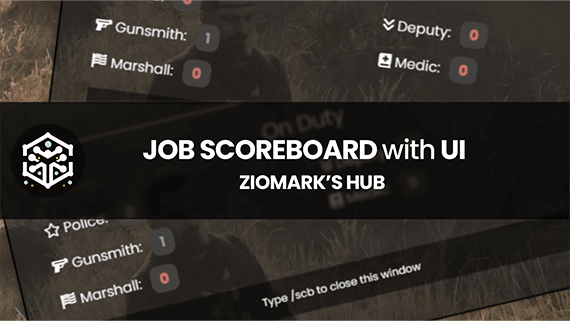
This script provides a sleek and user-friendly interface to display the current on-duty status of various jobs within your server.
With just a simple command, players can view the number of active medics, police officers, deputies, marshals, and all the jobs you wish to configure.
Video Preview
Dependencies
- zm_API
- VORP Framework

3D Me & Status
Overview
This script enables players to display 3D text messages and statuses on their characters. It provides commands for performing actions and setting custom statuses, with options for text customization and logging.
Features
- /me Command: Allows players to perform actions with custom text, triggering an animation if configured.
- /status Command: Sets a custom status message for the player character, which is displayed above their head.
- Status Prefix: Option to add a prefix to status messages for better identification.
- Text Customization: Customizable font, background rectangle, and text height for the displayed messages.
- Logging: Supports logging text messages to a text file or Discord webhook.
- Animation Support: Can trigger animations for the /me command if configured.
- Optimized Performance: Code optimized for better resource management and efficiency.
Configuration
The script can be configured using the Config.lua file, which includes options such as:
- Display duration for text messages (
Config.Time) - Commands for performing actions and setting statuses (
Config.MeCommand,Config.StatusCommand,Config.RemoveStatusCommand) - Status prefix setting (
Config.StatusPrefix) - Font ID for text display (
Config.FontID) - Background rectangle option (
Config.BGRect) - Text height adjustment (
Config.TextHeight) - Logging options including TXT logs, Discord webhook, and Vorp integration (
Config.UseTXTLogs,Config.UseDiscordLogs,Config.Vorp)
Video Preview
Config Preview

Discord Logs Preview

Usage
Players can use the /me command followed by a message to perform actions with custom text. The /status command followed by a message sets a custom status for the player. Deleting the status can be done using the /delstatus command.
Dependencies
- VORP Framework

Paycheck System
This script allows you to set a salary for each job and each grade of that specific job.
It was developed to work for VORP Core and Syn Society but being Open Source allows you to convert it to other frameworks or other society scripts.
Video Preview: